MIST IDE
Technical-Brutalist Native macOS IDE
テクニカル・ブルータリズムの、ネイティブmacOS IDE
Overview
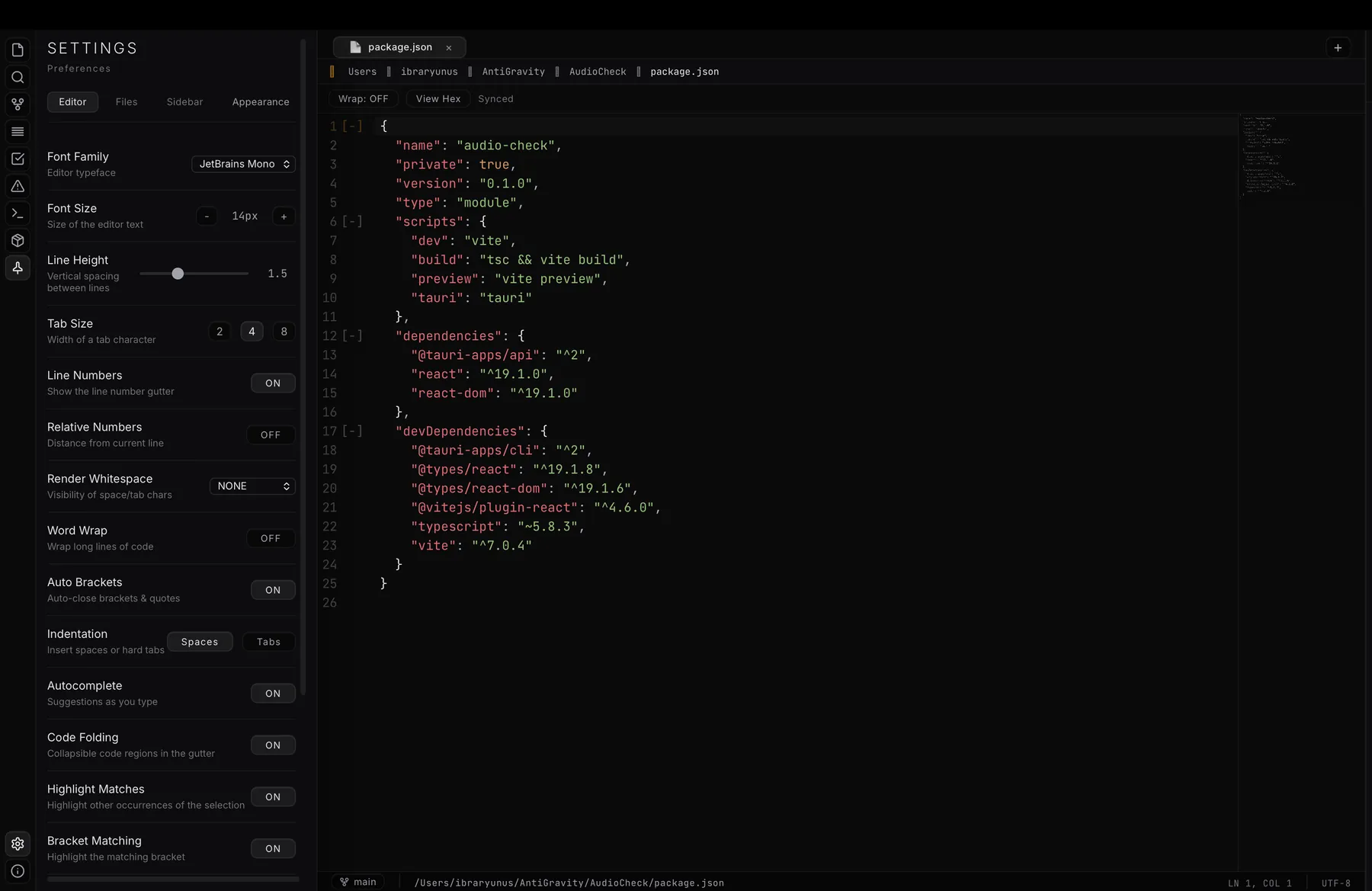
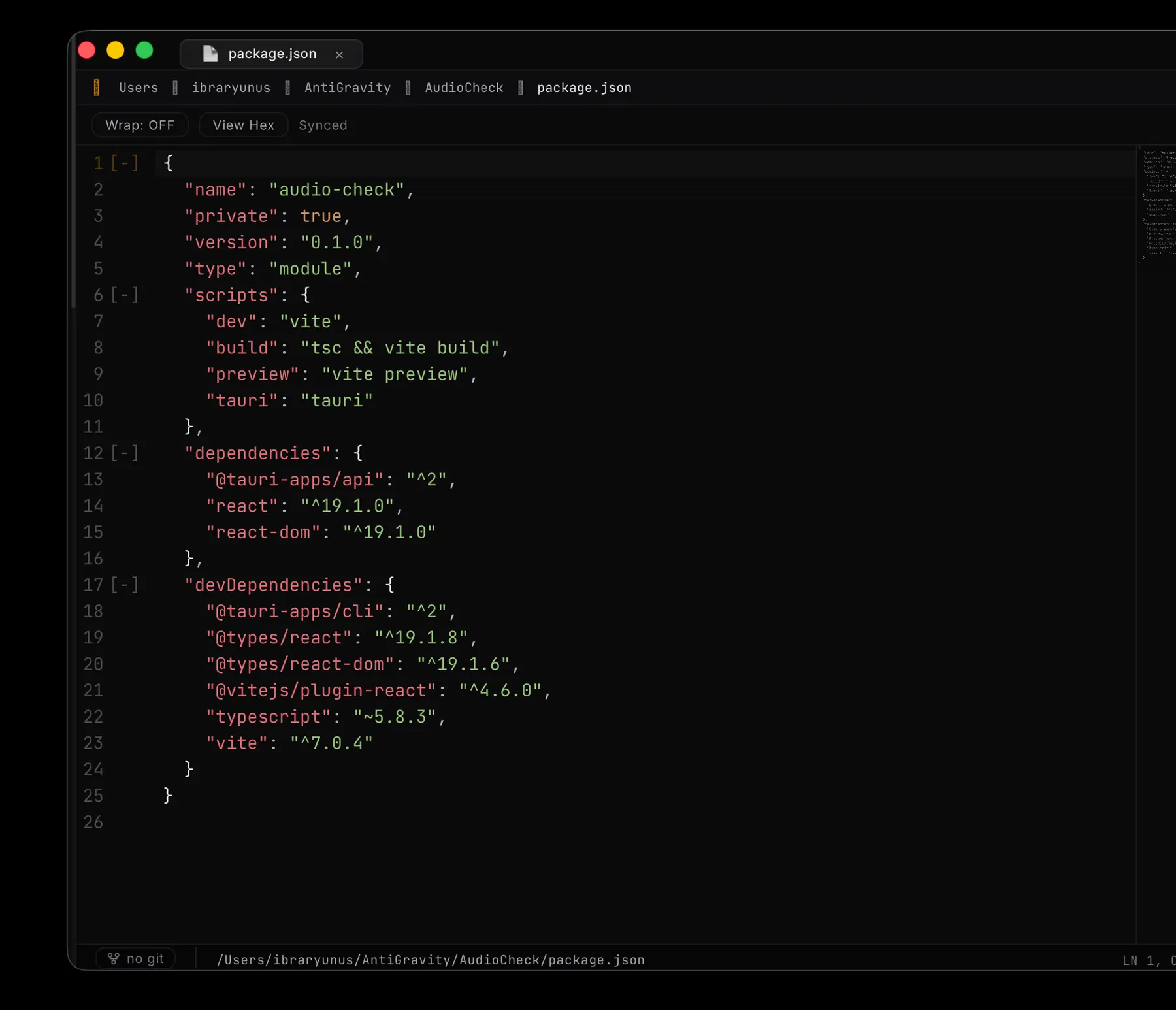
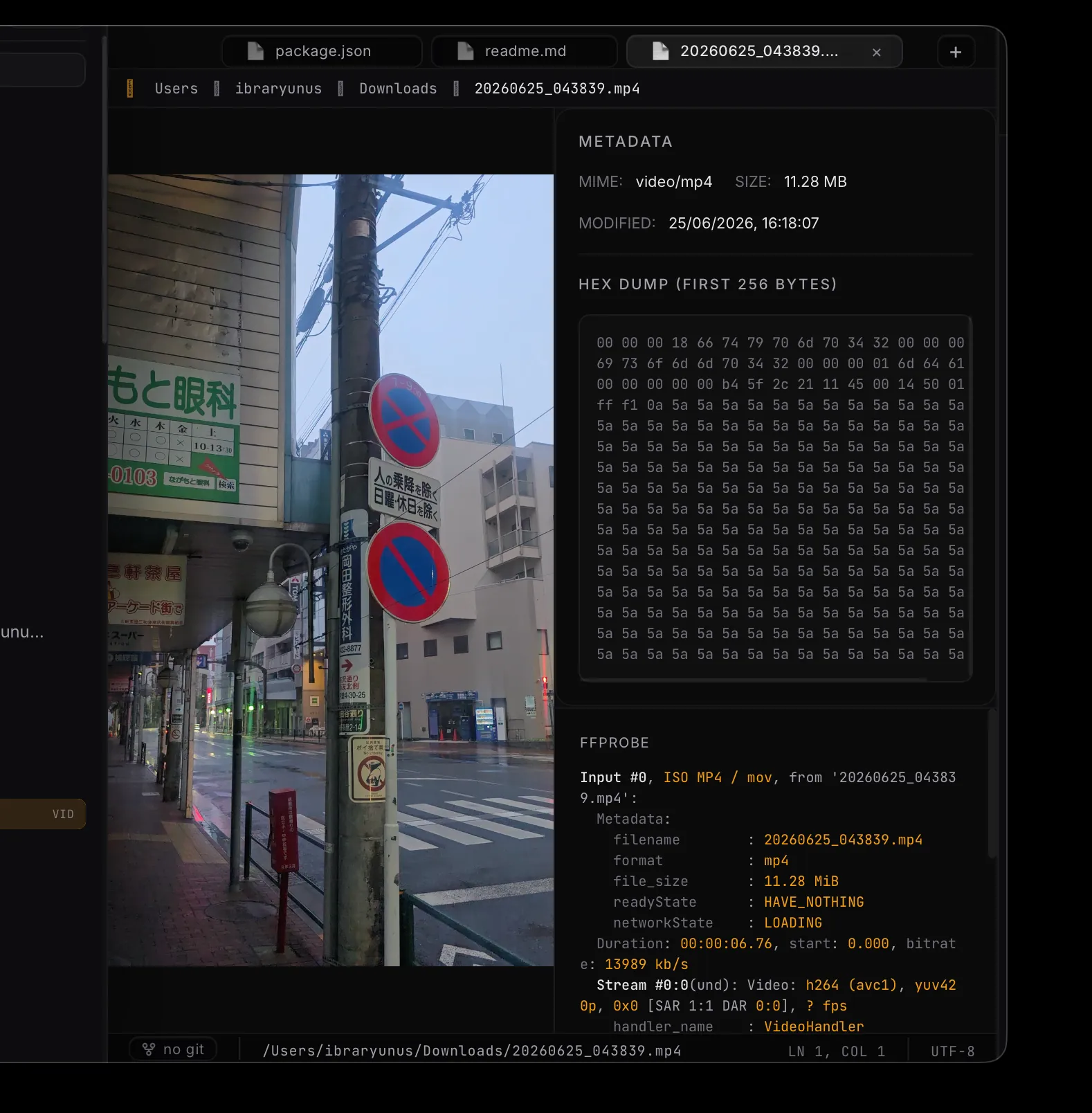
概要Code editors are usually either beautiful or powerful, rarely both. MIST IDE is a native macOS editor that aims for both — a quiet, brutalist surface sitting over a full git, LSP and terminal engine, with no Electron weight underneath. It now ships as a signed, Apple-notarized download: drag it in and it just opens, no Gatekeeper warnings.
コードエディタは、美しいか高機能かのどちらかで、両方を備えることはまれです。MIST IDEはその両方を目指したネイティブのmacOSエディタです。静かでブルータリスト的な画面の下に、git、LSP、ターミナルの本格的な機能があり、Electronの重さはありません。現在は署名済みでAppleの公証を受けたアプリとして配布しています。ドラッグして入れるだけで、Gatekeeperの警告なしに開きます。
I wanted an editor that felt like mine: minimal, fast and native, without giving up the things that make a real IDE worth using — and then I wanted to actually ship it, properly signed and notarized, for anyone to run.
自分のものだと感じられるエディタが欲しかったのです。ミニマルで、速く、ネイティブでありながら、本物のIDEとして使う価値のある機能は手放さないもの。そして、きちんと署名と公証をして、誰でも実行できる形で実際にリリースしたいと考えました。
How it was built
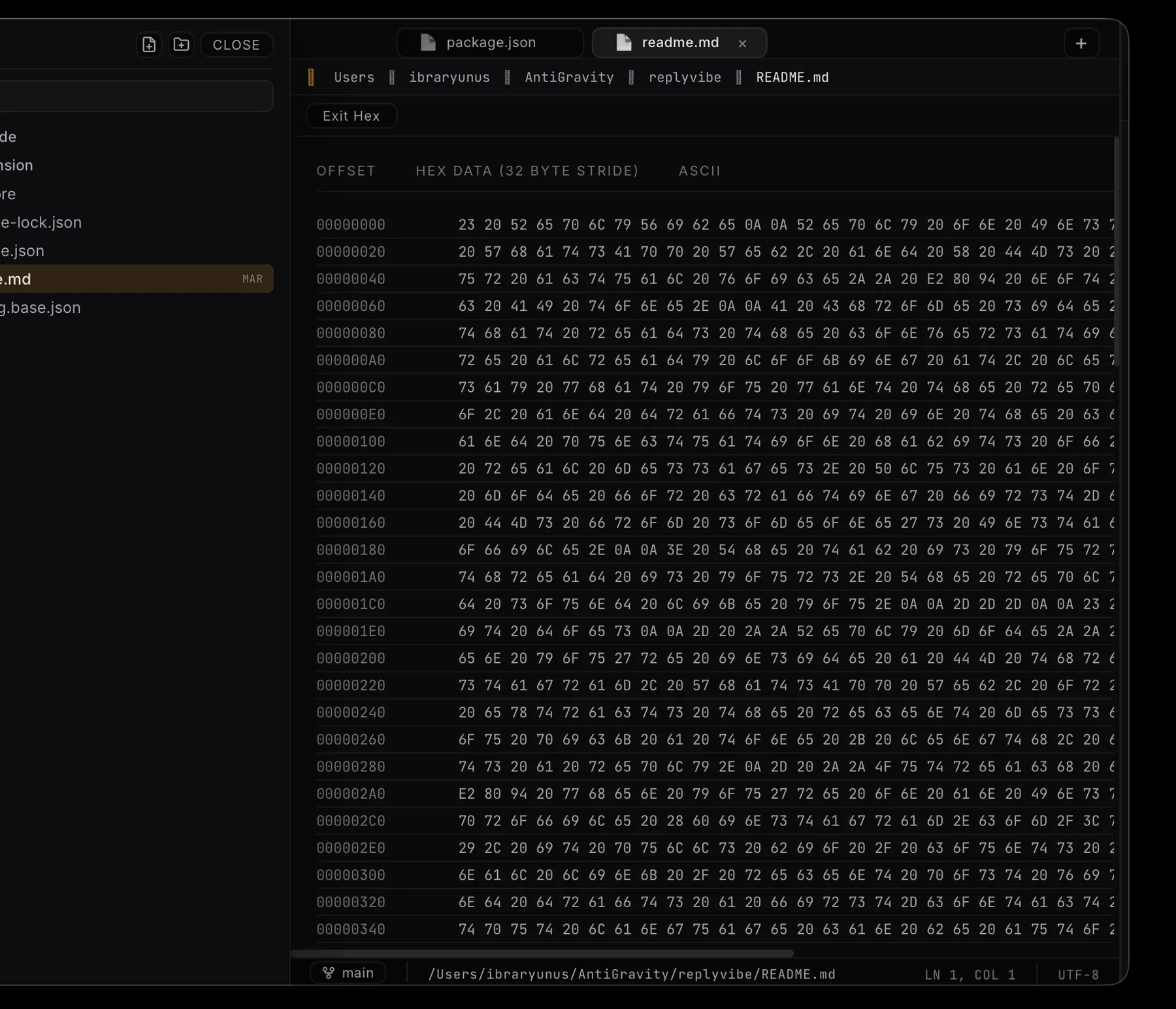
開発Built natively in Rust and Tauri 2 with a Svelte 5 (Runes) front end, MIST IDE integrates CodeMirror 6 for editing, a real LSP client for code intelligence, and xterm.js over portable-pty for an embedded terminal — assembled into one coherent workspace, with real macOS fullscreen, native traffic-light window controls and a side-by-side split editor.
RustとTauri 2でネイティブに構築し、フロントエンドはSvelte 5(Runes)です。編集にはCodeMirror 6、コード補完や診断には本物のLSPクライアント、内蔵ターミナルにはportable-pty上のxterm.jsを組み込み、一つのまとまった作業環境にしています。本物のmacOSフルスクリーン、ネイティブのウィンドウボタン、左右分割のエディタも備えています。
What it does
機能View and edit two files side by side with a focused-pane model and a Cmd-backslash shortcut — the standard IDE split, done natively.
フォーカス中のペインを基準にしたモデルで、2つのファイルを左右に並べて表示・編集できます。ショートカットは⌘\。一般的なIDEの分割表示を、ネイティブで実現しています。
Real fullscreen with its own Space and native traffic-light window controls, not a faked borderless maximise.
見せかけの枠なし最大化ではなく、専用のSpaceを持つ本物のフルスクリーンと、ネイティブのウィンドウボタン。
Stage, commit, branch and push from inside the editor, with inline gutter diffs and GitHub integration — no separate client.
ステージ、コミット、ブランチ、プッシュをエディタ内で行えます。ガター上の差分表示とGitHub連携も備え、別のクライアントは不要です。
A proper language-server client gives completion and diagnostics across languages, not regex-based guesses.
本格的な言語サーバーのクライアントにより、正規表現による推測ではなく、さまざまな言語で補完と診断を提供します。
A real pty terminal via xterm.js sits alongside your code, so the loop never leaves the window.
xterm.jsによる本物のPTYターミナルがコードの横にあるため、作業がウィンドウの外に出ません。
Distributed as a Developer-ID-signed, Apple-notarized DMG — it downloads and opens cleanly on any Apple-Silicon Mac.
Developer IDで署名し、Appleの公証を受けたDMGとして配布しています。Apple Silicon搭載のMacなら、ダウンロードしてそのまま問題なく開けます。
Under the hood
技術の詳細Native, not ElectronElectronではなくネイティブ
The whole point was to avoid shipping a browser with every copy. MIST IDE is a Tauri 2 shell: a Rust core and the system WebView render a Svelte 5 (Runes) UI, so the download is roughly 11 MB instead of the 150 MB+ an Electron build of the same surface would weigh. The heavy, latency-sensitive work — process spawning, the PTY, filesystem watching, git — lives in Rust, not JavaScript.
目的は、配布物の一つ一つにブラウザを同梱しないことでした。MIST IDEはTauri 2のアプリで、RustのコアとシステムのWebViewがSvelte 5(Runes)のUIを描画します。そのため、同じ画面をElectronで作れば150MB以上になるところ、ダウンロードは約11MBです。プロセスの起動、PTY、ファイルシステムの監視、gitといった重く遅延に敏感な処理は、JavaScriptではなくRustで行っています。
Real fullscreen, without the dark band暗い帯の出ない本物のフルスクリーン
The window is borderless for the custom chrome, and borderless macOS windows don't get the collection behavior native fullscreen needs — so it fell back to a faked, maximised 'fullscreen' with an ugly dark title strip on hover. The fix was to stop fighting AppKit: switch to a native titled window with an overlay title bar and real traffic lights, which gives proper native fullscreen (its own Space, the green-button animation, ⌃⌘F) with the content extending cleanly under the menu bar.
独自のウィンドウ装飾のために枠なしウィンドウを使っていましたが、macOSの枠なしウィンドウにはネイティブのフルスクリーンに必要な設定が付きません。そのため、見せかけの最大化による「フルスクリーン」になり、ホバー時に暗いタイトルの帯が出ていました。解決策はAppKitに逆らうのをやめることでした。オーバーレイ型のタイトルバーと本物のウィンドウボタンを持つネイティブのタイトル付きウィンドウに切り替えたことで、専用のSpace、緑ボタンのアニメーション、⌃⌘Fを備えた本物のネイティブフルスクリーンになり、内容もメニューバーの下まできれいに広がるようになりました。
The split-editor model分割エディタのモデル
Split view is a focused-pane model rather than independent tab groups: a shared tab list with a main and a split pane, and whichever pane is focused receives the next file you open — from the tree, quick-open or the tab bar. ⌘\ toggles it. It's the smaller, comprehensible half of the 'tabs → panes tree' refactor, deliberately shipped first.
分割表示は、独立したタブグループではなく、フォーカス中のペインを基準にしたモデルです。共有のタブ一覧にメインと分割の2つのペインがあり、ファイルツリー、クイックオープン、タブバーのどこから開いても、次のファイルはフォーカス中のペインに開きます。⌘\で切り替えます。「タブからペインのツリーへ」という再設計のうち、小さく理解しやすい半分を意図的に先にリリースしました。
Signed, then notarized署名、そして公証
Distribution is the part most hobby editors skip. MIST IDE builds with Hardened Runtime and a minimal entitlements set (JIT and unsigned-executable-memory for the WebView, no App Sandbox so the terminal and language servers can actually spawn), is signed with a Developer ID certificate, then submitted to Apple's notary service and stapled. The result passes Gatekeeper on a fresh download — no right-click-to-open, no 'unidentified developer' wall.
配布は、趣味のエディタの多くが省略する部分です。MIST IDEはHardened Runtimeと最小限のエンタイトルメント(WebViewのためのJITと未署名の実行可能メモリ、ターミナルと言語サーバーが起動できるようApp Sandboxは無効)でビルドし、Developer ID証明書で署名したうえで、Appleの公証サービスに提出してステープルしています。その結果、新しくダウンロードしてもGatekeeperを通過し、右クリックで開く必要も「開発元が未確認」の警告もありません。
Stack
技術構成MIST IDE is Tauri 2 with a Rust core and a Svelte 5 (Runes) UI on Vite. Editing is CodeMirror 6; the embedded terminal is xterm.js over portable-pty; code intelligence is a genuine LSP client. It ships as a hardened-runtime, Developer-ID-signed and Apple-notarized DMG for Apple Silicon — native, compact and fast, deliberately not Electron.
MIST IDEはTauri 2を基盤に、RustのコアとVite上のSvelte 5(Runes)のUIで構成しています。編集はCodeMirror 6、内蔵ターミナルはportable-pty上のxterm.js、コード支援は本物のLSPクライアントです。Hardened Runtimeを有効にし、Developer IDで署名し、Appleの公証を受けたApple Silicon向けのDMGとして配布しています。ネイティブで小さく速く、あえてElectronは使っていません。
Where it is now
現状と今後MIST IDE 0.1.1 is shipped — a signed, Apple-notarized download with git, LSP, an embedded terminal, native macOS fullscreen, traffic-light window controls and a side-by-side split editor. The natural direction is extensibility — a plugin surface and broader language support — and a universal (Intel + Apple Silicon) build, all on the same small, fast Tauri/Rust core rather than reaching for Electron.
MIST IDE 0.1.1をリリースしました。署名済みでAppleの公証を受けたダウンロード版で、git、LSP、内蔵ターミナル、ネイティブのmacOSフルスクリーン、ウィンドウボタン、左右分割のエディタを備えています。今後の方向は拡張性で、プラグインの仕組み、対応言語の拡大、そしてIntelとApple Siliconの両方に対応したユニバーサルビルドを、Electronに頼らず同じ小さく速いTauri/Rustのコアの上で進めていきます。
Changelog
更新履歴- Window — Native macOS traffic lights no longer overlap the sidebar's nav rail and file-tree header when windowed.
- Sidebar — Draggable edges show only the resize cursor; the accent line no longer flashes as the panel slides open.
- Header — The tab bar stops reserving traffic-light space when the sidebar is pinned open.
- Editor — Side-by-side split editing (⌘\) with a focused-pane model; CodeMirror 6 across 25+ languages with multi-cursor, code folding and find & replace.
- Window — Real native macOS fullscreen with its own Space, plus native traffic-light controls replacing the previous custom window chrome.
- Terminal — Embedded PTY shell (zsh) over portable-pty with xterm.js, a hover-to-reveal panel and pinning.
- Intelligence — LSP client for completion and diagnostics, a Problems panel and a task runner.
- Git — Branch switching, staged/unstaged status, inline gutter diffs and GitHub sign-in, all in-editor.
- Files — Project tree with create / rename / delete, live filesystem watching, a formatter and format-on-save.
- Distribution — Shipped as a hardened-runtime, Developer-ID-signed and Apple-notarized DMG for Apple Silicon.
MIST IDE is an exercise in restraint: proving an IDE can stay calm and brutalist on the surface while doing all the heavy lifting underneath — and then shipping it the right way, signed and notarized, for people to actually download and use.
MIST IDEは抑制の実践です。表面は静かでブルータリスト的なまま、内部では重い処理をすべてこなすIDEが作れることを示し、さらに署名と公証を経た正しい方法で、実際にダウンロードして使える形でリリースしました。